
In the competitive world of e-commerce, getting a customer to add an item to their cart is a major achievement. However, the true measure of success lies in guiding that customer smoothly through the checkout process to a completed purchase. Unfortunately, high cart abandonment rates—often hovering around 70%—show that the checkout experience is a significant bottleneck. Clearly, a poorly designed checkout is simply a silent killer of sales, frustrating customers and forfeiting hard-earned revenue. Therefore, learning how to design a high-converting checkout experience is not optional; instead, it is a crucial discipline for any business focused on maximizing its conversion rate and driving substantial growth.
Many businesses spend vast amounts on traffic generation and product optimization but overlook the final, critical hurdle: the checkout page. They treat it as a necessary evil, failing to realize it is the single most important moment for trust and commitment. Consequently, any friction, confusion, or lack of security signals can cause a customer to abandon their purchase at the last second.
Always remember, the objective of the checkout experience is to be invisible—it should be so seamless and trustworthy that the customer focuses only on the value of their purchase, not the effort required to complete the transaction. By following best practices focused on simplicity, transparency, and trust, you can transform your checkout from a conversion bottleneck into a powerful sales accelerator.
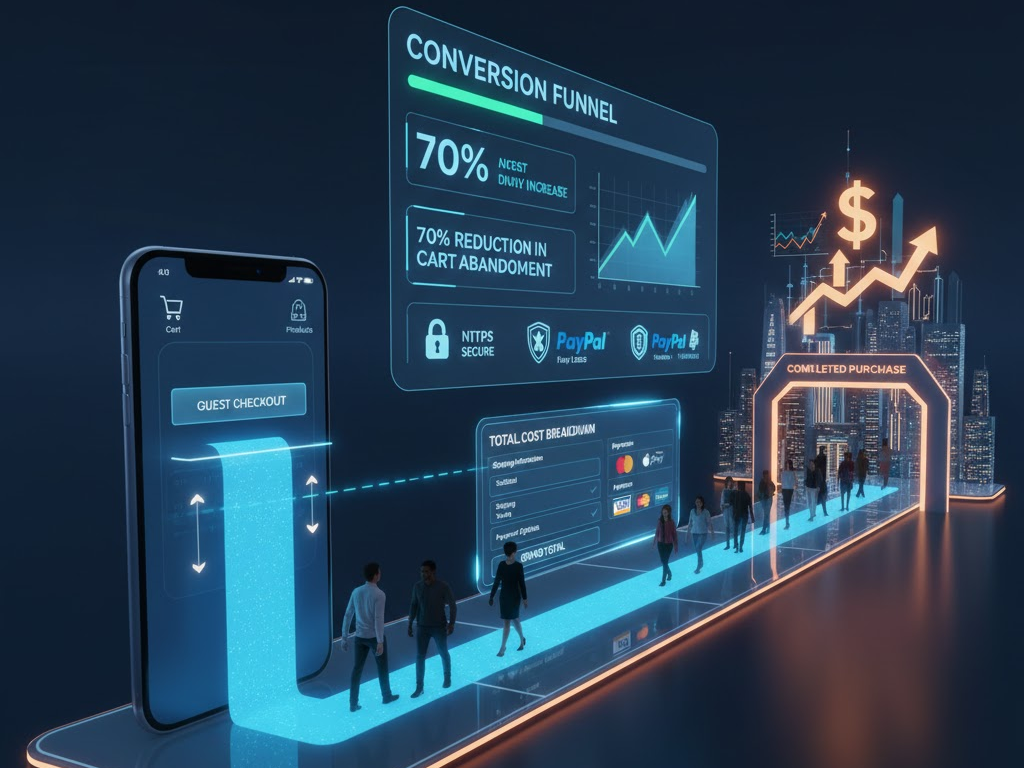
The Cart Abandonment Crisis: Understanding the Problem
To begin with, we must acknowledge the severity of the cart abandonment crisis. Statistics consistently show that a large majority of potential customers leave their carts before completing a purchase. Clearly, understanding the primary reasons why customers abandon their carts is the essential first step in designing a better, more effective checkout. Truly, a high abandonment rate signifies deep-seated problems within your purchasing funnel, demanding immediate and strategic attention. Therefore, analyzing these common pain points will inform your design decisions.
Top Reasons Why Customers Abandon Checkout
Naturally, customers abandon carts for a multitude of reasons, but several key factors repeatedly surface in research:
- Unexpected Costs: Hidden fees, high shipping costs, or unexpected taxes revealed late in the process often shock and deter buyers. Transparency is key.
- Forced Account Creation: Requiring customers to register an account before purchasing creates friction and adds unnecessary steps, leading many to drop off.
- Complex or Long Process: Too many steps, confusing forms, or an unclear progress indicator overwhelms the user. Simplicity is always superior.
- Security Concerns: A lack of visible trust badges or an insecure-feeling page makes customers nervous about entering sensitive payment information. Trust signals are non-negotiable.
- Lack of Payment Options: Not offering the customer’s preferred payment method can immediately stop a transaction. Flexibility is vital.
Furthermore, issues like slow page loading times, poor mobile optimization, and confusing navigation also contribute significantly to cart abandonment. Truly, by systematically addressing these pain points in your design, you can eliminate friction and create a checkout experience that systematically guides the user toward a successful conversion.
Step 1: Simplify the Process – The Power of Minimal Steps
One of the most effective strategies for reducing cart abandonment is radical simplification. Clearly, the fewer clicks and the less data entry required from the customer, the higher your conversion rate will likely be. Therefore, your design goal should be to minimize cognitive load and eliminate any non-essential steps between the shopping cart and the confirmation page. Truly, an efficient checkout process is a fast checkout process.
Optimizing Flow and Reducing Friction
Firstly, offer a guest checkout option prominently. Forcing account creation is one of the top reasons for abandonment. Allow customers to complete their purchase quickly, and then offer an easy, post-purchase option to create an account (e.g., “Save your details for next time!”). This reverses the friction point effectively.
Secondly, aim for a one-page or accordion checkout design. While a multi-step checkout with a clear progress bar can work, condensing all necessary information onto a single, vertically scrolling page often reduces the perception of effort. If using multiple steps, limit them to three or four logical phases (e.g., Shipping, Payment, Review). Furthermore, auto-fill and smart form fields are non-negotiable time-savers. Use features like address lookup tools that auto-suggest addresses after a few keystrokes. Integrate validation tools that check data accuracy in real-time. Also, automatically fill billing details with shipping information if the customer chooses that option. Truly, every keystroke saved is friction removed, smoothing the path to a higher conversion rate.
Step 2: Build Trust and Ensure Security Signals
Checkout involves customers sharing highly sensitive personal and financial information. Therefore, trust and security are foundational elements of a high-converting experience. Clearly, if a customer feels uneasy or insecure on your payment page, they will leave, regardless of how great your product is. Therefore, designing a checkout that looks secure and feels trustworthy is absolutely essential for conversion success.
Visible Indicators of Safety and Credibility
Firstly, ensure your website uses HTTPS and an SSL certificate. While standard practice, explicitly display a padlock icon and verify the secure URL (starting with https://). This basic technical requirement is a fundamental trust signal. Secondly, display recognizable trust badges and security seals prominently near the payment fields. Logos from security providers (e.g., Norton, McAfee, Trustpilot) or payment gateways (e.g., PayPal Verified) instantly reassure customers about data protection. Truly, these visual cues act as powerful psychological validators.
Furthermore, clearly communicate your refund, return, and privacy policies near the final purchase button. A link to your full policy is often necessary, but a concise summary of your guarantee can significantly boost confidence. Also, ensure your customer support information is readily accessible on the checkout page (e.g., a phone number, live chat icon, or a clear link to FAQs). This demonstrates that a real company stands behind the transaction and offers assistance if needed. Always remember, trust is earned through transparency and visible security measures. By maximizing these trust signals, you mitigate customer anxiety and successfully guide them past the final moment of hesitation.
Step 3: Optimize Payment Flexibility and Transparency
A customer is ready to buy, but if you don’t accept their preferred method of payment or surprise them with high costs, the sale is lost. Consequently, optimizing payment flexibility and transparency are two critical areas that directly impact conversion rates. Clearly, offering choice reduces friction, while clear communication prevents buyer shock. Therefore, focus on maximizing options and upfront honesty.
Offering Choice and Maintaining Price Integrity
Firstly, provide a variety of widely accepted payment methods. Beyond major credit cards (Visa, Mastercard, Amex), integrate popular digital wallets (e.g., Apple Pay, Google Pay, PayPal) and local payment options relevant to your target markets. Also, consider offering Buy Now, Pay Later (BNPL) options (e.g., Klarna, Affirm), as these have become highly popular for managing expenses and often increase the average order value. Flexibility caters to diverse customer preferences globally.
Secondly, prioritize price transparency. This is crucial. Display all costs, including shipping fees, taxes, and any other charges, as early as possible—ideally on the product page or within the shopping cart summary, not just on the final checkout page. Clearly label the different shipping options and their associated costs and delivery timelines. Furthermore, use an always-visible order summary throughout the checkout process. This summary should dynamically update as the customer adds items or selects shipping options, constantly reminding them of their total commitment. Truly, eliminating the fear of hidden fees and offering convenient payment options removes the final financial barriers, resulting in a higher likelihood of conversion.
Step 4: Ensure Flawless Mobile and Performance Optimization
In 2025, mobile devices account for the majority of e-commerce traffic. Therefore, a failure to optimize your checkout experience for mobile users is equivalent to turning away more than half of your potential sales. Clearly, a truly high-converting checkout must be flawlessly responsive, fast-loading, and intuitive on screens of all sizes. Therefore, prioritizing mobile optimization and site speed is absolutely essential for maximizing your conversion rate.
Speed, Responsiveness, and Mobile-First Design
Firstly, design your checkout process using a mobile-first philosophy. This means prioritizing large, easy-to-tap buttons, simple one-column layouts, and minimal form fields that leverage mobile keyboard features (e.g., automatic number input for card details). Test the entire flow rigorously on various mobile devices to ensure all elements are accessible and functional. Furthermore, minimize text input on mobile. Use radio buttons, dropdown menus, and address lookup tools to reduce typing, which is cumbersome on small screens.
Secondly, optimize the page loading speed relentlessly. Slow checkout pages are a primary driver of abandonment, as customers lose patience quickly. Compress images, minimize unnecessary scripts, and use efficient hosting. Aim for checkout pages that load in under two seconds. Also, ensure that all error messages are clear and immediate. If a form field is filled incorrectly, provide instant, visible feedback to the user on how to correct the error, rather than waiting for the customer to hit “submit” and then forcing them to navigate back. Truly, by ensuring a fast, responsive, and friction-free mobile experience, you capture the vast majority of today’s e-commerce traffic, significantly boosting your conversion rate.
Step 5: Leverage Data and Post-Purchase Opportunities
A high-converting checkout is not a set-it-and-forget-it asset; instead, it is a constantly evolving system driven by data and continuous testing. Furthermore, the checkout is not truly over until the customer receives their product and is encouraged to return. Clearly, leveraging post-purchase moments for customer engagement is a smart strategy to build loyalty and increase the Customer Lifetime Value (CLV). Therefore, focus on data analysis and strategic follow-up.
A/B Testing, Analytics, and Post-Purchase Nurturing
Firstly, use analytics to identify specific drop-off points. Tools like Google Analytics, heat maps, and session recordings can show exactly where users hesitate, click away, or abandon forms. Pinpoint the problematic step or field—is it shipping calculation, the credit card field, or the final button? This data should directly inform your optimization efforts. Secondly, conduct rigorous A/B testing. Test everything: the number of steps, the wording on buttons (e.g., “Buy Now” vs. “Place Order”), the placement of trust badges, and the presence of guest checkout. Small changes based on data can lead to massive conversion uplifts.
Furthermore, optimize the confirmation page and email as marketing opportunities. The confirmation page should reassure the customer, display their order summary clearly, and offer immediate next steps (e.g., track order, download app). The confirmation email should be prompt, reiterating trust signals and providing essential details. Lastly, implement cart abandonment recovery emails. These automated emails, sent within hours of abandonment, can successfully bring back a significant portion of lost customers by offering a gentle reminder or sometimes a small incentive. Truly, by viewing checkout as a system of continuous improvement and leveraging the post-purchase experience, you not only increase conversions today but also secure customer loyalty for tomorrow.
Frequently Asked Questions (FAQs)
Q1: What is the single most effective way to immediately reduce cart abandonment?
The single most effective way to immediately reduce cart abandonment is offering a clear, prominent guest checkout option. Removing the friction and requirement of forced account creation allows the customer to complete their purchase quickly, which directly addresses one of the top reasons for drop-off.
Q2: How many steps should an optimal checkout process have?
While there is no fixed number, the optimal checkout process should minimize the perceived effort. Ideally, aim for a single-page checkout or a maximum of three to four highly consolidated steps (e.g., Shipping, Payment, Review). The key is clear progress indicators and minimal form fields.
Q3: Why is mobile optimization more critical than desktop optimization for checkout?
Mobile devices now account for the majority of e-commerce traffic. If your checkout is slow, requires tedious typing, or has small buttons on mobile, you risk losing the largest segment of your potential customers. A mobile-first, fast-loading, responsive design is essential for modern conversion rates.
Q4: How important are trust badges on the checkout page?
Trust badges are extremely important. They act as visible, psychological validators that reassure customers your site is secure enough to handle their sensitive financial information. Placing well-known security seals and payment gateway logos near the payment fields significantly boosts customer confidence and reduces security-related abandonment.
Q5: What should I A/B test first on my checkout page?
Start by A/B testing elements related to friction and anxiety. This includes testing: the presence/placement of trust badges, offering or removing guest checkout, the wording of the final purchase button CTA, and the layout (one-page vs. multi-step). Use analytics to guide your choices and maximize impact.

