Payment UX Audit Checklist for Better Results

Payment UX Audit Checklist for Better Results

Customers leave checkout pages more often than most businesses realize. A poor payment experience is one of the top reasons for lost sales. Complicated or confusing checkout flows drive users away at the final step. A payment UX audit helps you find and fix these problems before they cost you more revenue. This step-by-step framework gives businesses a clear method to review, analyze, and improve their payment user experience. Whether you run an ecommerce store, a subscription service, or a SaaS platform, this guide applies to your checkout process.

What Is a Payment UX Audit and Why It Matters

A payment UX audit is a structured review of your entire checkout and payment flow. It examines every step a customer takes from adding an item to cart through to payment confirmation. The goal is to identify friction points, design flaws, and technical issues that cause users to abandon the process.

Cart abandonment rates average nearly seventy percent globally. A large portion of those abandonments happen at the payment stage specifically. Therefore, improving payment UX directly increases completed transactions and revenue.

Payment UX Audit Checklist for Better Results

Signs Your Payment UX Needs an Audit

High cart abandonment rates are the most obvious signal. If users regularly drop off at the payment page, something is wrong with the experience.

Other signs include low conversion rates on specific payment methods, a spike in customer support contacts about checkout issues, or negative feedback mentioning confusion at checkout. If your payment flow has not been reviewed in over a year, it is already overdue.

Step One – Map Your Entire Payment Journey

The first step in any payment UX audit is mapping every touchpoint in your checkout process. Start from the moment a user clicks the checkout button and document every screen, form, and decision point until the confirmation page.

This map becomes your audit foundation. Use it to identify how many steps your process includes and count the number of form fields on each page. Note where users must create accounts or log in. Each extra step is a potential drop-off point.

Tools for Mapping the Payment Journey

Session recording tools like Hotjar or Microsoft Clarity let you watch real users move through your checkout. These recordings reveal exactly where people pause, click repeatedly, or leave. Google Analytics funnel reports show you where the biggest drop-offs occur numerically.

Additionally, heatmaps show which areas of your payment page receive the most attention. If users are clicking on non-clickable elements near your payment form, that is a design confusion signal worth investigating.

Step Two – Evaluate Form Design and Field Requirements

Payment forms are often the biggest source of UX friction. Review every field carefully. Ask whether each one is truly necessary. Reducing form fields consistently improves completion rates.

Common issues include asking for information that can be auto-filled, using unclear field labels, and grouping unrelated fields awkwardly. Moreover, inline validation, where the form alerts users to errors as they type, dramatically reduces submission failures.

Best Practices for Payment Form Design

Labels should sit above input fields, not inside them. Placeholder text inside fields disappears when a user starts typing, causing confusion. Use clear, simple language for every label. Write “Card number” rather than “PAN” or “Account digits.”

Error messages must be specific. Instead of “Invalid input,” write “Please enter a valid 16-digit card number.” This guides users to fix the problem quickly. Furthermore, auto-formatting features, like adding spaces after every four card digits, reduce errors significantly.

Group related fields logically. Billing address fields should be together, and card details grouped separately. This visual organization reduces cognitive load. As a result, users move through the form more confidently.

Step Three – Review Trust Signals and Security Indicators

Trust is critical during payment. Users are sharing sensitive financial information. If they do not feel secure, they will abandon the process. A payment UX audit must evaluate every trust signal on your checkout pages.

Common trust signals include SSL certificate indicators, security badges from recognized providers, accepted payment method logos, and clear refund or privacy policies. Showing real customer reviews near checkout can also reduce hesitation.

What Trust Elements to Check During Your Audit

Check whether your checkout page uses HTTPS throughout. Any switch to non-secure pages immediately triggers user suspicion. Verify that security badges are visible without scrolling, particularly on mobile devices.

Review your payment method icons. Showing familiar logos such as Visa, Mastercard, and PayPal reassures users. Similarly, display a short, clear return policy near the payment button to reduce purchase anxiety.

Test all pages on mobile devices specifically. Trust elements that are visible on desktop often become hidden or misaligned on smaller screens. A dedicated mobile review is therefore essential during this audit step.

Step Four – Test Payment Speed and Technical Performance

Slow payment pages lose customers. Even a one-second delay in page load time can reduce conversions meaningfully. Your payment UX audit must therefore include a technical performance review.

Use tools like Google PageSpeed Insights or GTmetrix to measure load times on your checkout pages. Pay particular attention to mobile performance, since a growing majority of transactions happen on smartphones. Target a load time under three seconds for each payment page.

Common Technical Issues That Hurt Payment UX

Session timeouts during checkout are a significant frustration. If a user spends time reviewing their order and then finds their session expired, they are unlikely to start over. Extend session times on checkout pages or save cart data automatically.

Payment gateway errors should be handled gracefully. When a card is declined, display a clear, calm message and offer alternative payment methods immediately. Do not show technical error codes that confuse users. Moreover, test your checkout regularly across different browsers and devices to catch issues before customers encounter them.

Step Five – Analyze and Prioritize Your Audit Findings

Once you have completed your review, compile all findings in one place. Group them by severity: critical issues that actively prevent payment, moderate issues that create friction, and minor issues that reduce polish.

Address critical issues first. These are bugs, broken payment methods, or missing trust signals. Moderate friction points come next. This prioritization ensures your effort creates the greatest impact quickly.

Frequently Asked Questions

1: How often should a business run a payment UX audit?
A full payment UX audit should be conducted at least once per year. Also run a partial audit whenever you make significant changes to your checkout flow, switch payment providers, or notice a drop in conversion rates.

2: What is the most common payment UX mistake?
Requiring account creation before purchase is one of the most damaging mistakes. Many users abandon checkout rather than create an account. Always offer a guest checkout option as a primary path.

3: Can a payment UX audit reduce cart abandonment?
Yes, significantly. Identifying and fixing friction points in your checkout directly reduces abandonment rates. Even small improvements like reducing form fields or adding trust badges can produce measurable gains.

4: Do I need a developer to run a payment UX audit?
Not for the analysis phase. Tools like Hotjar, Google Analytics, and PageSpeed Insights are accessible without technical skills. However, fixing technical issues found during the audit will typically require developer support.

5: How long does a payment UX audit take?
A thorough audit typically takes between one and three weeks depending on the complexity of your checkout flow. Implementing fixes can take additional time based on issue severity.

Conclusion

A payment UX audit is one of the highest-return investments a business can make. Every improvement to your checkout experience directly impacts revenue. By mapping your payment journey, refining form design, strengthening trust signals, and addressing technical performance, you create a checkout flow that customers trust and complete. Start with your highest drop-off points and work through each step in this framework. Consequently, you will see real improvements in your conversion rate, your revenue, and your customer satisfaction.

Read More:

Why Psychology of Payments Changes Conversions: Full Guide

Headless Commerce Payments Best Practices: Complete Guide

Fintech Relies on Microservices-Based Infrastructure Now

Why generative ai is the Future of E-commerce: Full Guide

How generative ai Solves Your Cart Abandonment Issues: Full Guide

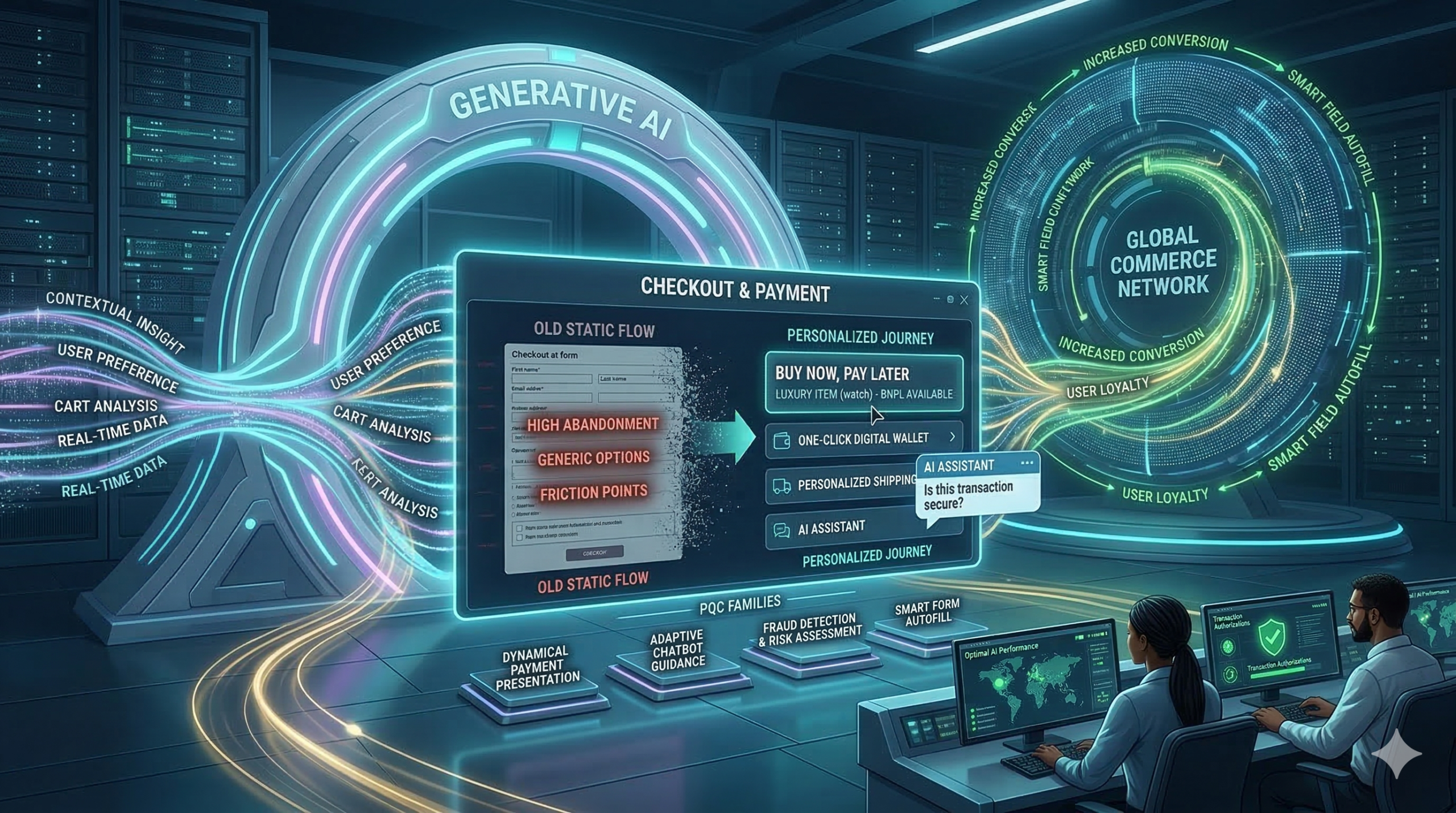
Most online stores lose customers at the final step because traditional checkout pages are often slow and boring. Now, generative ai is changing that forever by creating a personal path for every shopper. Because this technology learns what you like and how you want to pay, buying things online is faster than ever. Furthermore, smart stores use generative ai to turn one-time shoppers into loyal fans. This shift is vital for any brand that wants to grow. Consequently, the payment journey is no longer just a task; it is an experience.

Why generative ai is the Future of E-commerce: Full Guide

Why Old Checkout Systems Fail

Static forms are the biggest enemy of sales because most shops show the same fields to everyone. Consequently, many people leave their carts empty. This is because the process feels long and hard. Generative ai solves this by making every page unique for the user. For instance, it knows if you are on a phone or a laptop. Furthermore, it predicts which payment method you prefer. Therefore, you spend less time typing and more time enjoying your purchase. In short, ai removes the friction that kills sales.


Real-Time Help with Generative AI

Shopping can sometimes feel confusing, especially when you have questions about shipping or taxes. Standard help pages are often hard to find. However, ai adds a smart assistant to the page to guide you. This bot answers your questions in seconds. Because the bot knows your cart, it gives perfect advice. This builds trust and keeps you moving forward. In addition, ai makes sure you never feel alone while shopping.

Moreover, these bots can offer special deals at the perfect moment. If you hesitate, the generative ai might give you a small discount to help you decide. As a result, shoppers feel valued and safe. Generative ai is not just a tool; it is a digital guide. Because of these benefits, top brands are moving to AI today. Therefore, the checkout flow becomes a conversation instead of a form.


Safer and Faster Payments

Security is the most important part of any sale because hackers are always looking for ways to steal data. Luckily, ai is great at spotting fraud by looking at millions of data points in real-time. If it sees something odd, it stops the threat fast. This keeps your money and data very safe. Because the ai is so smart, it rarely blocks real customers. Thus, generative ai makes payment security much stronger for everyone.

Additionally, generative ai helps with filling out forms by guessing your address with high accuracy. This reduces errors and saves time for the customer. When you use generative ai, the checkout flow feels like magic. You just click and go. Therefore, the risk of a mistake is very low. This is the future of ai in the payment world. Finally, this technology ensures that safety does not come at the cost of speed.


The Big Future of Generative AI

We are only at the start of this change. Soon, every store will use ai to talk to us. It will know our size, our style, and our budget. This means we will see fewer ads we do not like. Instead, we get a tailored world of products. Generative ai makes every transaction feel human. It is the best way to shop in 2026. If you want to stay ahead, you must use generative ai now. In conclusion, the personalized payment journey is the new standard for global trade.


Frequently Asked Questions

1. Is generative ai safe for my credit card?

Yes, it improves security by spotting fraud much faster than older systems.

2. Does generative ai make my phone slow?

No, most of the work happens on fast servers, so your phone stays quick.

3. Why do stores need ai?

It helps them sell more by making the checkout process easy and personal for everyone.

4. Can generative ai help with returns?

Yes, it can guide you through the return process and answer policy questions instantly.

5. Will all stores use generative ai soon?

Yes, it is becoming the global standard for all top e-commerce websites.


Read More:

Why Generative AI is the Future of E-commerce: Full Guide

The Quantum Threat: Why Payment Security Must Evolve Today

Why Europe Now Dictates Global Payment Standards?

Why generative ai is the Future of E-commerce

Why Generative AI is the Future of E-commerce: Full Guide

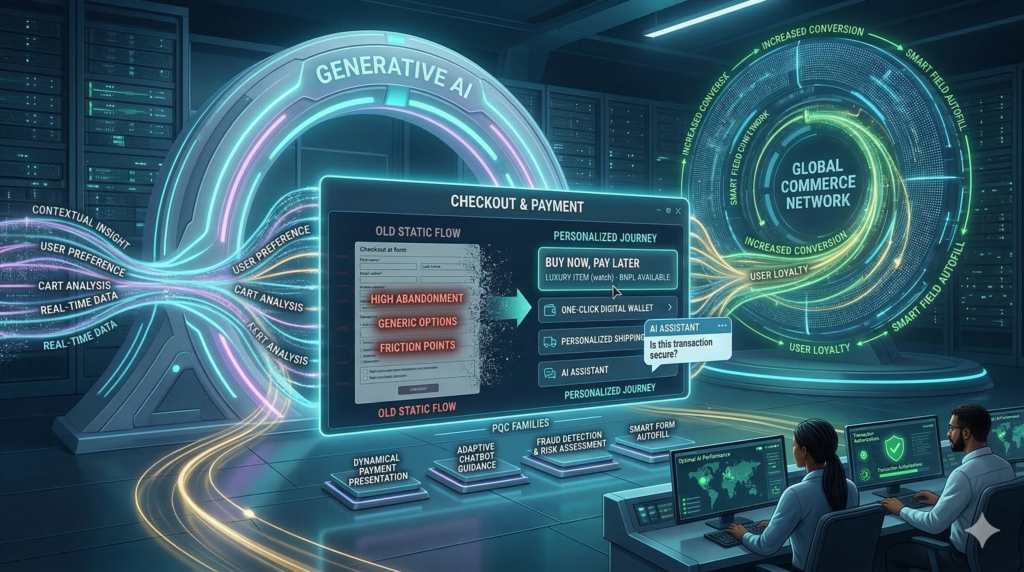
Most online stores lose customers at the final step because traditional checkout pages are often slow and boring. Now, generative ai is changing that forever by creating a personal path for every shopper. Because this technology learns what you like and how you want to pay, buying things online is faster than ever. Furthermore, smart stores use generative ai to turn one-time shoppers into loyal fans. This shift is vital for any brand that wants to grow. Consequently, the payment journey is no longer just a task; it is an experience.


Why Old Checkout Systems Fail

Static forms are the biggest enemy of sales because most shops show the same fields to everyone. Consequently, many people leave their carts empty. This is because the process feels long and hard. Generative ai solves this by making every page unique for the user. For instance, it knows if you are on a phone or a laptop. Furthermore, it predicts which payment method you prefer. Therefore, you spend less time typing and more time enjoying your purchase. In short, it removes the friction that kills sales.

Why generative ai is the Future of E-commerce

Real-Time Help with Generative AI

Shopping can sometimes feel confusing, especially when you have questions about shipping or taxes. Standard help pages are often hard to find. However, generative ai adds a smart assistant to the page to guide you. This bot answers your questions in seconds. Because the bot knows your cart, it gives perfect advice. This builds trust and keeps you moving forward. In addition, it makes sure you never feel alone while shopping.

Moreover, these bots can offer special deals at the perfect moment. If you hesitate, the generative ai might give you a small discount to help you decide. As a result, shoppers feel valued and safe. It is not just a tool; it is a digital guide. Because of these benefits, top brands are moving to AI today. Therefore, the checkout flow becomes a conversation instead of a form.


Safer and Faster Payments

Security is the most important part of any sale because hackers are always looking for ways to steal data. Luckily, generative ai is great at spotting fraud by looking at millions of data points in real-time. If it sees something odd, it stops the threat fast. This keeps your money and data very safe. Because the generative ai is so smart, it rarely blocks real customers. Thus, it makes payment security much stronger for everyone.

Additionally, it helps with filling out forms by guessing your address with high accuracy. This reduces errors and saves time for the customer. When you use it, the checkout flow feels like magic. You just click and go. Therefore, the risk of a mistake is very low. This is the future of generative ai in the payment world. Finally, this technology ensures that safety does not come at the cost of speed.


The Big Future of Generative AI

We are only at the start of this change. Soon, every store will use generative ai to talk to us. It will know our size, our style, and our budget. This means we will see fewer ads we do not like. Instead, we get a tailored world of products. It makes every transaction feel human. It is the best way to shop in 2026. If you want to stay ahead, you must use generative ai now. In conclusion, the personalized payment journey is the new standard for global trade.


Frequently Asked Questions

1. Is generative ai safe for my credit card?

Yes, it improves security by spotting fraud much faster than older systems.

2. Does generative ai make my phone slow?

No, most of the work happens on fast servers, so your phone stays quick.

3. Why do stores need generative ai?

It helps them sell more by making the checkout process easy and personal for everyone.

4. Can generative ai help with returns?

Yes, it can guide you through the return process and answer policy questions instantly.

5. Will all stores use generative ai soon?

Yes, it is becoming the global standard for all top e-commerce websites.


Read More:

The Quantum Threat: Why Payment Security Must Evolve Today

Why Europe Now Dictates Global Payment Standards?

How the new digital payments landscape is ending US dollar dominance?


How a Better Payment Experience Keeps Customers Coming Back

How a Better Payment Experience Keeps Customers Coming Back

Every business wants loyal customers. Therefore, you must look at your checkout process. Often, the payment step is where people leave. But, a smooth experience changes everything. Truly, it makes shoppers feel safe and happy.

Some shops have very slow payment pages. Consequently, they lose money every single day. Always remember, ease of use is a competitive edge. By making payments fast, you show respect for the user. This builds a bond that lasts a long time. It also helps your brand stand out from others. This simple focus leads to much higher sales over time.

How a Better Payment Experience Keeps Customers Coming Back

The Payment Pain Point: Why Checkouts Fail

First, let us talk about why customers quit. A hard checkout creates a lot of stress. Clearly, users want things to be simple and quick. Therefore, you must remove any barriers that slow them down.

Common Reasons for Abandoned Carts

Here are several things that push customers away from your shop:

  • Hidden fees that show up only at the very end.
  • Too many forms that ask for useless data.
  • A lack of local or modern payment methods.
  • Security pages that look old or broken.
  • Slow loading times on mobile phone screens.

Truly, each of these issues kills the mood to buy. But, you can fix them with a few smart changes.


What is a Seamless Payment Experience? Your Guide

So, what does a perfect payment look like? It is a process that feels invisible. Truly, it flows without any stop or hesitation. It gives the user total peace of mind. It acts as a bridge to a long-term relationship.

Key Elements of a Great Checkout Flow

Here is what makes a checkout feel effortless for everyone:

  1. Speed. The page must load in a blink.
  2. Clarity. All costs are shown right at the start.
  3. Choice. People can pay with cards or digital wallets.
  4. Safety. High trust marks are visible on every page.
  5. Simple forms. Only ask for what is truly needed.

Consequently, when these parts work, the customer feels great. They trust your shop more than others. This trust turns into loyalty very quickly.


Pillar 1: Speed and Simplicity for Instant Trust

The first pillar is all about moving fast. A slow page makes people doubt your tech. Clearly, speed equals professional quality in the modern world. Therefore, you should optimize every single script on your site.

Making the Checkout Fast and Easy

Firstly, cut down the number of clicks. If you can use one page, do it. Secondly, use tools that save card info safely. This helps returning fans buy in one click.

Furthermore, check your mobile speed every week. Most people shop on their phones now. Also, use large buttons that are easy to tap. Lastly, avoid pop-ups during the payment step. These distract the user and cause errors. Truly, a lean and fast checkout is the best gift for a buyer. It makes the whole trip feel like a breeze.


Pillar 2: Security and Transparency for Confidence

The second pillar is about being open and safe. People fear for their data today. Clearly, you must prove that your site is a fortress. Therefore, show your security tools with clear icons and text.

Building Peace of Mind with Honest Pricing

Firstly, tell people about shipping costs early. Do not wait for the final screen. Secondly, use a well-known payment provider. This gives the user instant comfort.

Furthermore, explain how you protect their private data. A short note can make a big difference. Also, provide a clear link to your refund policy. This lowers the risk for the buyer. Lastly, send a clear email receipt right away. This confirms the deal is done safely. Truly, when people feel safe, they spend more money. They also feel good about coming back to your store.


Pillar 3: Choice and Personalization for the User

The third pillar is all about meeting specific needs. Every shopper is a bit different. Clearly, one size does not fit all in payments. Therefore, offer a mix of ways to finish the sale.

Adapting to What Your Customers Love

Firstly, offer digital wallets like Apple Pay. These are very popular and very fast. Secondly, let people buy without making an account. This is called guest checkout and it works wonders.

Furthermore, show prices in the local currency of the user. This removes the need for mental math. Also, suggest the best payment method based on their device. Lastly, offer a “buy now, pay later” option for big items. This makes your products more reachable for many people. Truly, giving choices makes the customer feel in control. It shows that you value their specific habits. This care creates a very strong sense of loyalty.


Best Practices: How to Keep Improving Every Day

Setting up a gateway is just the start. You must keep testing your checkout often. Clearly, small tweaks can lead to big wins. Therefore, make a habit of checking your data for any new friction.

Tips for Growing Your Loyalty Through Payments

Firstly, watch where people drop off in the funnel. Fix those specific pages first. Secondly, ask your best customers for feedback on the checkout. They will tell you the truth.

Furthermore, stay on top of new payment trends. If a new wallet becomes popular, add it fast. Also, run A/B tests on your button colors and text. Sometimes a green button beats a blue one. Lastly, make sure your support team can help with payment errors. A quick fix can save a sale and a friend. Truly, staying focused on the user leads to the best results. It keeps your business healthy and your fans happy.


Frequently Asked Questions (FAQs)

Q1: Why is guest checkout so important for loyalty?

It removes the biggest wall for new shoppers. Once they see how easy it is to buy from you, they will likely make an account later on.

Q2: Do security icons really help with sales?

Yes, they do. Visual marks give a sense of safety. Even if users do not click them, seeing them lowers their guard and builds instant trust.

Q3: How many payment methods should I offer?

You should offer at least three or four. Include credit cards, a major digital wallet, and perhaps a local option. This covers the needs of most shoppers.

Q4: Does page speed affect my search engine rank?

Yes, it does. Google likes fast sites. A fast checkout keeps users on your site longer. This tells search engines that your site is high quality.

Q5: Can I offer “buy now pay later” for small items?

Yes, you can. It helps people manage their cash flow. Even for smaller sales, it can make the choice to buy much easier for the user.

Also Read: The Key to Payment Gateways: Perfect Landing Pages

How to Design Checkout Experiences That Increase Conversion

How to Design Checkout Experiences That Increase Conversion

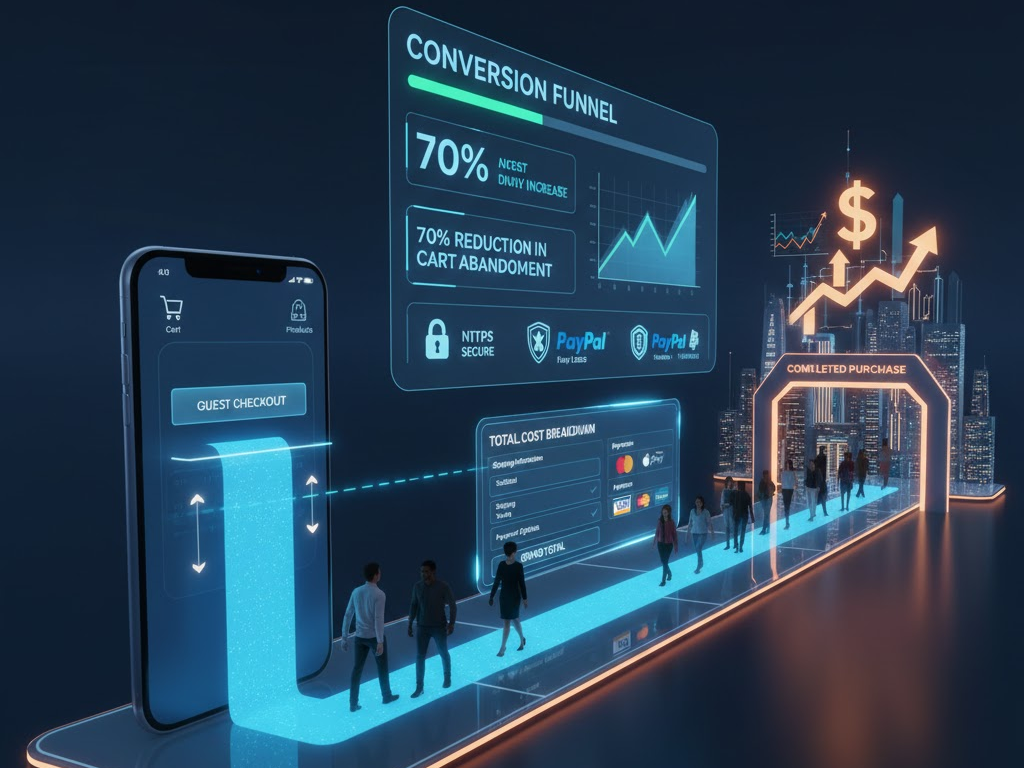
In the competitive world of e-commerce, getting a customer to add an item to their cart is a major achievement. However, the true measure of success lies in guiding that customer smoothly through the checkout process to a completed purchase. Unfortunately, high cart abandonment rates—often hovering around 70%—show that the checkout experience is a significant bottleneck. Clearly, a poorly designed checkout is simply a silent killer of sales, frustrating customers and forfeiting hard-earned revenue. Therefore, learning how to design a high-converting checkout experience is not optional; instead, it is a crucial discipline for any business focused on maximizing its conversion rate and driving substantial growth.

Many businesses spend vast amounts on traffic generation and product optimization but overlook the final, critical hurdle: the checkout page. They treat it as a necessary evil, failing to realize it is the single most important moment for trust and commitment. Consequently, any friction, confusion, or lack of security signals can cause a customer to abandon their purchase at the last second.

Always remember, the objective of the checkout experience is to be invisible—it should be so seamless and trustworthy that the customer focuses only on the value of their purchase, not the effort required to complete the transaction. By following best practices focused on simplicity, transparency, and trust, you can transform your checkout from a conversion bottleneck into a powerful sales accelerator.

How to Design Checkout Experiences That Increase Conversion

The Cart Abandonment Crisis: Understanding the Problem

To begin with, we must acknowledge the severity of the cart abandonment crisis. Statistics consistently show that a large majority of potential customers leave their carts before completing a purchase. Clearly, understanding the primary reasons why customers abandon their carts is the essential first step in designing a better, more effective checkout. Truly, a high abandonment rate signifies deep-seated problems within your purchasing funnel, demanding immediate and strategic attention. Therefore, analyzing these common pain points will inform your design decisions.

Top Reasons Why Customers Abandon Checkout

Naturally, customers abandon carts for a multitude of reasons, but several key factors repeatedly surface in research:

  1. Unexpected Costs: Hidden fees, high shipping costs, or unexpected taxes revealed late in the process often shock and deter buyers. Transparency is key.
  2. Forced Account Creation: Requiring customers to register an account before purchasing creates friction and adds unnecessary steps, leading many to drop off.
  3. Complex or Long Process: Too many steps, confusing forms, or an unclear progress indicator overwhelms the user. Simplicity is always superior.
  4. Security Concerns: A lack of visible trust badges or an insecure-feeling page makes customers nervous about entering sensitive payment information. Trust signals are non-negotiable.
  5. Lack of Payment Options: Not offering the customer’s preferred payment method can immediately stop a transaction. Flexibility is vital.

Furthermore, issues like slow page loading times, poor mobile optimization, and confusing navigation also contribute significantly to cart abandonment. Truly, by systematically addressing these pain points in your design, you can eliminate friction and create a checkout experience that systematically guides the user toward a successful conversion.


Step 1: Simplify the Process – The Power of Minimal Steps

One of the most effective strategies for reducing cart abandonment is radical simplification. Clearly, the fewer clicks and the less data entry required from the customer, the higher your conversion rate will likely be. Therefore, your design goal should be to minimize cognitive load and eliminate any non-essential steps between the shopping cart and the confirmation page. Truly, an efficient checkout process is a fast checkout process.

Optimizing Flow and Reducing Friction

Firstly, offer a guest checkout option prominently. Forcing account creation is one of the top reasons for abandonment. Allow customers to complete their purchase quickly, and then offer an easy, post-purchase option to create an account (e.g., “Save your details for next time!”). This reverses the friction point effectively.

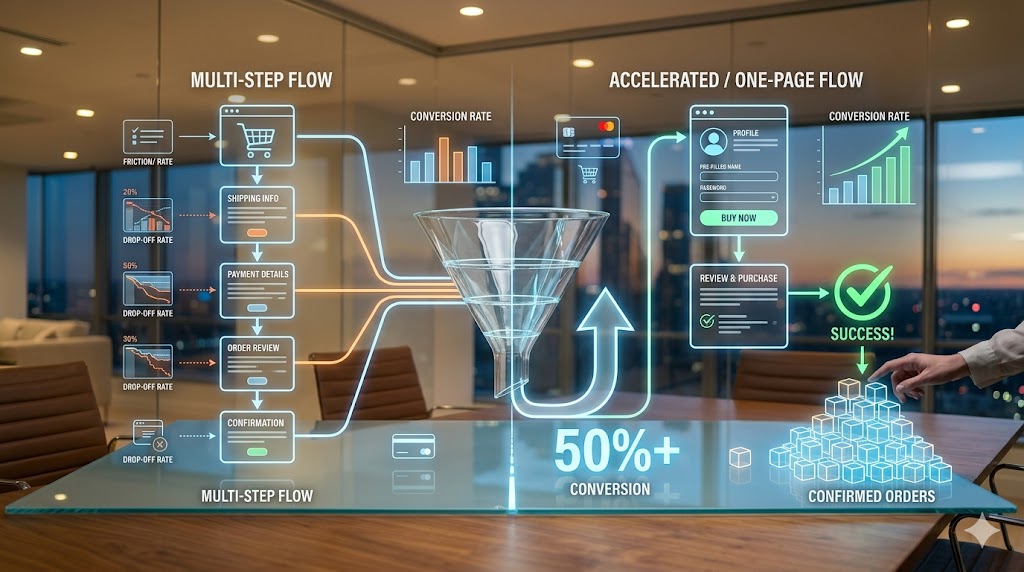
Secondly, aim for a one-page or accordion checkout design. While a multi-step checkout with a clear progress bar can work, condensing all necessary information onto a single, vertically scrolling page often reduces the perception of effort. If using multiple steps, limit them to three or four logical phases (e.g., Shipping, Payment, Review). Furthermore, auto-fill and smart form fields are non-negotiable time-savers. Use features like address lookup tools that auto-suggest addresses after a few keystrokes. Integrate validation tools that check data accuracy in real-time. Also, automatically fill billing details with shipping information if the customer chooses that option. Truly, every keystroke saved is friction removed, smoothing the path to a higher conversion rate.


Step 2: Build Trust and Ensure Security Signals

Checkout involves customers sharing highly sensitive personal and financial information. Therefore, trust and security are foundational elements of a high-converting experience. Clearly, if a customer feels uneasy or insecure on your payment page, they will leave, regardless of how great your product is. Therefore, designing a checkout that looks secure and feels trustworthy is absolutely essential for conversion success.

Visible Indicators of Safety and Credibility

Firstly, ensure your website uses HTTPS and an SSL certificate. While standard practice, explicitly display a padlock icon and verify the secure URL (starting with https://). This basic technical requirement is a fundamental trust signal. Secondly, display recognizable trust badges and security seals prominently near the payment fields. Logos from security providers (e.g., Norton, McAfee, Trustpilot) or payment gateways (e.g., PayPal Verified) instantly reassure customers about data protection. Truly, these visual cues act as powerful psychological validators.

Furthermore, clearly communicate your refund, return, and privacy policies near the final purchase button. A link to your full policy is often necessary, but a concise summary of your guarantee can significantly boost confidence. Also, ensure your customer support information is readily accessible on the checkout page (e.g., a phone number, live chat icon, or a clear link to FAQs). This demonstrates that a real company stands behind the transaction and offers assistance if needed. Always remember, trust is earned through transparency and visible security measures. By maximizing these trust signals, you mitigate customer anxiety and successfully guide them past the final moment of hesitation.


Step 3: Optimize Payment Flexibility and Transparency

A customer is ready to buy, but if you don’t accept their preferred method of payment or surprise them with high costs, the sale is lost. Consequently, optimizing payment flexibility and transparency are two critical areas that directly impact conversion rates. Clearly, offering choice reduces friction, while clear communication prevents buyer shock. Therefore, focus on maximizing options and upfront honesty.

Offering Choice and Maintaining Price Integrity

Firstly, provide a variety of widely accepted payment methods. Beyond major credit cards (Visa, Mastercard, Amex), integrate popular digital wallets (e.g., Apple Pay, Google Pay, PayPal) and local payment options relevant to your target markets. Also, consider offering Buy Now, Pay Later (BNPL) options (e.g., Klarna, Affirm), as these have become highly popular for managing expenses and often increase the average order value. Flexibility caters to diverse customer preferences globally.

Secondly, prioritize price transparency. This is crucial. Display all costs, including shipping fees, taxes, and any other charges, as early as possible—ideally on the product page or within the shopping cart summary, not just on the final checkout page. Clearly label the different shipping options and their associated costs and delivery timelines. Furthermore, use an always-visible order summary throughout the checkout process. This summary should dynamically update as the customer adds items or selects shipping options, constantly reminding them of their total commitment. Truly, eliminating the fear of hidden fees and offering convenient payment options removes the final financial barriers, resulting in a higher likelihood of conversion.


Step 4: Ensure Flawless Mobile and Performance Optimization

In 2025, mobile devices account for the majority of e-commerce traffic. Therefore, a failure to optimize your checkout experience for mobile users is equivalent to turning away more than half of your potential sales. Clearly, a truly high-converting checkout must be flawlessly responsive, fast-loading, and intuitive on screens of all sizes. Therefore, prioritizing mobile optimization and site speed is absolutely essential for maximizing your conversion rate.

Speed, Responsiveness, and Mobile-First Design

Firstly, design your checkout process using a mobile-first philosophy. This means prioritizing large, easy-to-tap buttons, simple one-column layouts, and minimal form fields that leverage mobile keyboard features (e.g., automatic number input for card details). Test the entire flow rigorously on various mobile devices to ensure all elements are accessible and functional. Furthermore, minimize text input on mobile. Use radio buttons, dropdown menus, and address lookup tools to reduce typing, which is cumbersome on small screens.

Secondly, optimize the page loading speed relentlessly. Slow checkout pages are a primary driver of abandonment, as customers lose patience quickly. Compress images, minimize unnecessary scripts, and use efficient hosting. Aim for checkout pages that load in under two seconds. Also, ensure that all error messages are clear and immediate. If a form field is filled incorrectly, provide instant, visible feedback to the user on how to correct the error, rather than waiting for the customer to hit “submit” and then forcing them to navigate back. Truly, by ensuring a fast, responsive, and friction-free mobile experience, you capture the vast majority of today’s e-commerce traffic, significantly boosting your conversion rate.


Step 5: Leverage Data and Post-Purchase Opportunities

A high-converting checkout is not a set-it-and-forget-it asset; instead, it is a constantly evolving system driven by data and continuous testing. Furthermore, the checkout is not truly over until the customer receives their product and is encouraged to return. Clearly, leveraging post-purchase moments for customer engagement is a smart strategy to build loyalty and increase the Customer Lifetime Value (CLV). Therefore, focus on data analysis and strategic follow-up.

A/B Testing, Analytics, and Post-Purchase Nurturing

Firstly, use analytics to identify specific drop-off points. Tools like Google Analytics, heat maps, and session recordings can show exactly where users hesitate, click away, or abandon forms. Pinpoint the problematic step or field—is it shipping calculation, the credit card field, or the final button? This data should directly inform your optimization efforts. Secondly, conduct rigorous A/B testing. Test everything: the number of steps, the wording on buttons (e.g., “Buy Now” vs. “Place Order”), the placement of trust badges, and the presence of guest checkout. Small changes based on data can lead to massive conversion uplifts.

Furthermore, optimize the confirmation page and email as marketing opportunities. The confirmation page should reassure the customer, display their order summary clearly, and offer immediate next steps (e.g., track order, download app). The confirmation email should be prompt, reiterating trust signals and providing essential details. Lastly, implement cart abandonment recovery emails. These automated emails, sent within hours of abandonment, can successfully bring back a significant portion of lost customers by offering a gentle reminder or sometimes a small incentive. Truly, by viewing checkout as a system of continuous improvement and leveraging the post-purchase experience, you not only increase conversions today but also secure customer loyalty for tomorrow.


Frequently Asked Questions (FAQs)

Q1: What is the single most effective way to immediately reduce cart abandonment?

The single most effective way to immediately reduce cart abandonment is offering a clear, prominent guest checkout option. Removing the friction and requirement of forced account creation allows the customer to complete their purchase quickly, which directly addresses one of the top reasons for drop-off.

Q2: How many steps should an optimal checkout process have?

While there is no fixed number, the optimal checkout process should minimize the perceived effort. Ideally, aim for a single-page checkout or a maximum of three to four highly consolidated steps (e.g., Shipping, Payment, Review). The key is clear progress indicators and minimal form fields.

Q3: Why is mobile optimization more critical than desktop optimization for checkout?

Mobile devices now account for the majority of e-commerce traffic. If your checkout is slow, requires tedious typing, or has small buttons on mobile, you risk losing the largest segment of your potential customers. A mobile-first, fast-loading, responsive design is essential for modern conversion rates.

Q4: How important are trust badges on the checkout page?

Trust badges are extremely important. They act as visible, psychological validators that reassure customers your site is secure enough to handle their sensitive financial information. Placing well-known security seals and payment gateway logos near the payment fields significantly boosts customer confidence and reduces security-related abandonment.

Q5: What should I A/B test first on my checkout page?

Start by A/B testing elements related to friction and anxiety. This includes testing: the presence/placement of trust badges, offering or removing guest checkout, the wording of the final purchase button CTA, and the layout (one-page vs. multi-step). Use analytics to guide your choices and maximize impact.

Also Read: How Can Smart Payout Drive Marketplace Growth