Payment UX Audit Checklist for Better Results

Payment UX Audit Checklist for Better Results

Customers leave checkout pages more often than most businesses realize. A poor payment experience is one of the top reasons for lost sales. Complicated or confusing checkout flows drive users away at the final step. A payment UX audit helps you find and fix these problems before they cost you more revenue. This step-by-step framework gives businesses a clear method to review, analyze, and improve their payment user experience. Whether you run an ecommerce store, a subscription service, or a SaaS platform, this guide applies to your checkout process.

What Is a Payment UX Audit and Why It Matters

A payment UX audit is a structured review of your entire checkout and payment flow. It examines every step a customer takes from adding an item to cart through to payment confirmation. The goal is to identify friction points, design flaws, and technical issues that cause users to abandon the process.

Cart abandonment rates average nearly seventy percent globally. A large portion of those abandonments happen at the payment stage specifically. Therefore, improving payment UX directly increases completed transactions and revenue.

Payment UX Audit Checklist for Better Results

Signs Your Payment UX Needs an Audit

High cart abandonment rates are the most obvious signal. If users regularly drop off at the payment page, something is wrong with the experience.

Other signs include low conversion rates on specific payment methods, a spike in customer support contacts about checkout issues, or negative feedback mentioning confusion at checkout. If your payment flow has not been reviewed in over a year, it is already overdue.

Step One – Map Your Entire Payment Journey

The first step in any payment UX audit is mapping every touchpoint in your checkout process. Start from the moment a user clicks the checkout button and document every screen, form, and decision point until the confirmation page.

This map becomes your audit foundation. Use it to identify how many steps your process includes and count the number of form fields on each page. Note where users must create accounts or log in. Each extra step is a potential drop-off point.

Tools for Mapping the Payment Journey

Session recording tools like Hotjar or Microsoft Clarity let you watch real users move through your checkout. These recordings reveal exactly where people pause, click repeatedly, or leave. Google Analytics funnel reports show you where the biggest drop-offs occur numerically.

Additionally, heatmaps show which areas of your payment page receive the most attention. If users are clicking on non-clickable elements near your payment form, that is a design confusion signal worth investigating.

Step Two – Evaluate Form Design and Field Requirements

Payment forms are often the biggest source of UX friction. Review every field carefully. Ask whether each one is truly necessary. Reducing form fields consistently improves completion rates.

Common issues include asking for information that can be auto-filled, using unclear field labels, and grouping unrelated fields awkwardly. Moreover, inline validation, where the form alerts users to errors as they type, dramatically reduces submission failures.

Best Practices for Payment Form Design

Labels should sit above input fields, not inside them. Placeholder text inside fields disappears when a user starts typing, causing confusion. Use clear, simple language for every label. Write “Card number” rather than “PAN” or “Account digits.”

Error messages must be specific. Instead of “Invalid input,” write “Please enter a valid 16-digit card number.” This guides users to fix the problem quickly. Furthermore, auto-formatting features, like adding spaces after every four card digits, reduce errors significantly.

Group related fields logically. Billing address fields should be together, and card details grouped separately. This visual organization reduces cognitive load. As a result, users move through the form more confidently.

Step Three – Review Trust Signals and Security Indicators

Trust is critical during payment. Users are sharing sensitive financial information. If they do not feel secure, they will abandon the process. A payment UX audit must evaluate every trust signal on your checkout pages.

Common trust signals include SSL certificate indicators, security badges from recognized providers, accepted payment method logos, and clear refund or privacy policies. Showing real customer reviews near checkout can also reduce hesitation.

What Trust Elements to Check During Your Audit

Check whether your checkout page uses HTTPS throughout. Any switch to non-secure pages immediately triggers user suspicion. Verify that security badges are visible without scrolling, particularly on mobile devices.

Review your payment method icons. Showing familiar logos such as Visa, Mastercard, and PayPal reassures users. Similarly, display a short, clear return policy near the payment button to reduce purchase anxiety.

Test all pages on mobile devices specifically. Trust elements that are visible on desktop often become hidden or misaligned on smaller screens. A dedicated mobile review is therefore essential during this audit step.

Step Four – Test Payment Speed and Technical Performance

Slow payment pages lose customers. Even a one-second delay in page load time can reduce conversions meaningfully. Your payment UX audit must therefore include a technical performance review.

Use tools like Google PageSpeed Insights or GTmetrix to measure load times on your checkout pages. Pay particular attention to mobile performance, since a growing majority of transactions happen on smartphones. Target a load time under three seconds for each payment page.

Common Technical Issues That Hurt Payment UX

Session timeouts during checkout are a significant frustration. If a user spends time reviewing their order and then finds their session expired, they are unlikely to start over. Extend session times on checkout pages or save cart data automatically.

Payment gateway errors should be handled gracefully. When a card is declined, display a clear, calm message and offer alternative payment methods immediately. Do not show technical error codes that confuse users. Moreover, test your checkout regularly across different browsers and devices to catch issues before customers encounter them.

Step Five – Analyze and Prioritize Your Audit Findings

Once you have completed your review, compile all findings in one place. Group them by severity: critical issues that actively prevent payment, moderate issues that create friction, and minor issues that reduce polish.

Address critical issues first. These are bugs, broken payment methods, or missing trust signals. Moderate friction points come next. This prioritization ensures your effort creates the greatest impact quickly.

Frequently Asked Questions

1: How often should a business run a payment UX audit?
A full payment UX audit should be conducted at least once per year. Also run a partial audit whenever you make significant changes to your checkout flow, switch payment providers, or notice a drop in conversion rates.

2: What is the most common payment UX mistake?
Requiring account creation before purchase is one of the most damaging mistakes. Many users abandon checkout rather than create an account. Always offer a guest checkout option as a primary path.

3: Can a payment UX audit reduce cart abandonment?
Yes, significantly. Identifying and fixing friction points in your checkout directly reduces abandonment rates. Even small improvements like reducing form fields or adding trust badges can produce measurable gains.

4: Do I need a developer to run a payment UX audit?
Not for the analysis phase. Tools like Hotjar, Google Analytics, and PageSpeed Insights are accessible without technical skills. However, fixing technical issues found during the audit will typically require developer support.

5: How long does a payment UX audit take?
A thorough audit typically takes between one and three weeks depending on the complexity of your checkout flow. Implementing fixes can take additional time based on issue severity.

Conclusion

A payment UX audit is one of the highest-return investments a business can make. Every improvement to your checkout experience directly impacts revenue. By mapping your payment journey, refining form design, strengthening trust signals, and addressing technical performance, you create a checkout flow that customers trust and complete. Start with your highest drop-off points and work through each step in this framework. Consequently, you will see real improvements in your conversion rate, your revenue, and your customer satisfaction.

Read More:

Why Psychology of Payments Changes Conversions: Full Guide

Headless Commerce Payments Best Practices: Complete Guide

Fintech Relies on Microservices-Based Infrastructure Now

Why Psychology of Payments Changes Conversions: Full Guide

Why Psychology of Payments Changes Conversions: Full Guide

You have a great product. Your marketing works. Visitors land on your site, add items to their cart — then vanish. Sound familiar? Cart abandonment is one of the biggest problems in e-commerce. The average abandonment rate sits around 70%. That means seven out of ten shoppers leave without buying. Understanding the psychology of payments helps you fix this. When you know why people hesitate, you can remove the friction that stops them from completing a purchase.

The Pain of Paying: Why Spending Hurts

Neuroscience shows that spending money activates the same brain regions associated with physical pain. Researchers call this the ‘pain of paying.’

This pain is strongest when payment feels direct and visible. Handing over cash hurts more than swiping a card. Seeing a total before clicking ‘Pay’ triggers more hesitation.

Therefore, smart checkout design reduces this psychological pain. The goal is to make payment feel effortless and natural — not stressful.

Why Psychology of Payments Changes Conversions: Full Guide

Key Reasons Users Drop Off at Checkout

1. Unexpected Costs

Surprise fees are the number one reason users abandon carts. Shipping charges, taxes, or handling fees that appear late in the process feel like a betrayal.

Customers set a mental budget early. When the final total exceeds that number, they feel tricked. Consequently, they leave — often never to return.

The fix is simple: show all costs upfront. Display estimated shipping and taxes on the product page. Transparency builds trust.

2. Forced Account Creation

Asking users to create an account before buying creates massive friction. Many users simply do not want to share their email or remember another password.

Research by Baymard Institute found that 24% of users abandon checkout because of forced registration. Always offer a guest checkout option.

Additionally, let users sign up after purchase. Once they have a positive experience, they are far more likely to create an account willingly.

3. Complex or Long Checkout Forms

Every extra field you add is a chance for users to give up. Long forms feel like work. They kill momentum and trigger second thoughts.

Use autofill wherever possible. Ask only for essential information. Split long forms into clear steps with progress indicators so users know where they are.

4. Security Concerns

Users worry about their financial data. A checkout page that looks outdated, lacks HTTPS, or shows unfamiliar payment logos raises red flags.

Display trust signals clearly. Use SSL certificates. Show recognised payment icons — Visa, Mastercard, PayPal. Add security badges from brands like Norton or McAfee.

Furthermore, explain how you protect customer data. A short, reassuring line near the payment field reduces anxiety significantly.

5. Slow Page Load Times

A checkout page that loads slowly destroys conversions. Google data shows that even a one-second delay reduces conversions by up to 7%.

Optimise your checkout page speed aggressively. Compress images. Use a fast hosting provider. Minimise scripts. Every millisecond counts at the payment stage.

6. Limited Payment Options

Today’s shoppers expect choice. Some prefer credit cards. Others want PayPal, Apple Pay, Google Pay, or Buy Now Pay Later options.

Offering only one or two payments methods alienates large groups of potential buyers. Expand your payment options to match your audience’s preferences.

The Role of Trust in Payment Decisions

Trust is the currency of checkout. Without it, even interested buyers will not complete a purchase. Social proof is a powerful trust builder. Display real customer reviews near the checkout.

Show how many people have bought the same product. Use testimonials from verified buyers. Moreover, money-back guarantees reduce the perceived risk of buying. When users know they can get a refund, the decision feels safer. Remove risk, and you remove hesitation.

Cognitive Load and Decision Fatigue

By the time a user reaches checkout, they have already made many decisions. They chose a product, picked a size, selected a colour. Each choice uses mental energy.

Decision fatigue sets in. At the payments stage, users are mentally tired. Any extra choice — promo code boxes, upsell popups, or confusing layout — can push them over the edge.

Simplify your checkout ruthlessly. Remove distractions. Eliminate unnecessary steps. Make the path to purchase as clear and short as possible.

The Power of Progress Indicators

People are more likely to complete a task when they can see progress. This is called the Zeigarnik Effect — unfinished tasks stay in our minds until complete.

Use a clear step indicator in your checkout. Show users exactly where they are — Step 1 of 3, for example. This reduces anxiety and increases completion rates.

Additionally, save progress automatically. If a user leaves and returns, their cart and form data should still be there. This reduces re-entry friction significantly.

Abandoned Cart Recovery Strategies

Even with a perfect checkout, some users will leave. Recovery strategies bring them back. Send abandoned cart emails within one hour of drop-off. Studies show these emails recover around 5-10% of abandoned carts. Keep the email short, friendly, and include a direct link back to the cart.

Use retargeting ads to remind users of what they left behind. Personalised ads with the exact product they viewed perform significantly better than generic promotions.

Furthermore, consider exit-intent popups. When a user moves their mouse toward the browser’s close button, trigger a popup with a small incentive — free shipping or a discount code.

Optimising Mobile Checkout

More than 60% of online shopping now happens on mobile devices. Yet mobile conversion rates lag behind desktop by a wide margin.

Mobile checkout must be frictionless. Use large, tappable buttons. Auto-detect card details using the camera. Enable one-click payments options like Apple Pay or Google Pay.

Test your checkout flow on multiple devices regularly. What works on desktop often breaks on mobile. Fix every point of friction you find.

Key Takeaways

The psychology of payments reveals that checkout drop-off is rarely about the product. It is about friction, fear, and lost trust.

Remove surprise costs. Simplify your forms. Build trust signals. Offer multiple payment methods. And keep your checkout fast, clean, and focused.

When you understand what users feel at checkout, you can design a process that feels effortless. Fewer drop-offs mean more revenue. Start optimising your checkout today.

Read More:

Headless Commerce Payments Best Practices: Complete Guide

Fintech Relies on Microservices-Based Infrastructure Now

Event-Driven Payment System: What You Need Full Guide

How to Design Checkout Experiences That Increase Conversion

How to Design Checkout Experiences That Increase Conversion

In the competitive world of e-commerce, getting a customer to add an item to their cart is a major achievement. However, the true measure of success lies in guiding that customer smoothly through the checkout process to a completed purchase. Unfortunately, high cart abandonment rates—often hovering around 70%—show that the checkout experience is a significant bottleneck. Clearly, a poorly designed checkout is simply a silent killer of sales, frustrating customers and forfeiting hard-earned revenue. Therefore, learning how to design a high-converting checkout experience is not optional; instead, it is a crucial discipline for any business focused on maximizing its conversion rate and driving substantial growth.

Many businesses spend vast amounts on traffic generation and product optimization but overlook the final, critical hurdle: the checkout page. They treat it as a necessary evil, failing to realize it is the single most important moment for trust and commitment. Consequently, any friction, confusion, or lack of security signals can cause a customer to abandon their purchase at the last second.

Always remember, the objective of the checkout experience is to be invisible—it should be so seamless and trustworthy that the customer focuses only on the value of their purchase, not the effort required to complete the transaction. By following best practices focused on simplicity, transparency, and trust, you can transform your checkout from a conversion bottleneck into a powerful sales accelerator.

How to Design Checkout Experiences That Increase Conversion

The Cart Abandonment Crisis: Understanding the Problem

To begin with, we must acknowledge the severity of the cart abandonment crisis. Statistics consistently show that a large majority of potential customers leave their carts before completing a purchase. Clearly, understanding the primary reasons why customers abandon their carts is the essential first step in designing a better, more effective checkout. Truly, a high abandonment rate signifies deep-seated problems within your purchasing funnel, demanding immediate and strategic attention. Therefore, analyzing these common pain points will inform your design decisions.

Top Reasons Why Customers Abandon Checkout

Naturally, customers abandon carts for a multitude of reasons, but several key factors repeatedly surface in research:

  1. Unexpected Costs: Hidden fees, high shipping costs, or unexpected taxes revealed late in the process often shock and deter buyers. Transparency is key.
  2. Forced Account Creation: Requiring customers to register an account before purchasing creates friction and adds unnecessary steps, leading many to drop off.
  3. Complex or Long Process: Too many steps, confusing forms, or an unclear progress indicator overwhelms the user. Simplicity is always superior.
  4. Security Concerns: A lack of visible trust badges or an insecure-feeling page makes customers nervous about entering sensitive payment information. Trust signals are non-negotiable.
  5. Lack of Payment Options: Not offering the customer’s preferred payment method can immediately stop a transaction. Flexibility is vital.

Furthermore, issues like slow page loading times, poor mobile optimization, and confusing navigation also contribute significantly to cart abandonment. Truly, by systematically addressing these pain points in your design, you can eliminate friction and create a checkout experience that systematically guides the user toward a successful conversion.


Step 1: Simplify the Process – The Power of Minimal Steps

One of the most effective strategies for reducing cart abandonment is radical simplification. Clearly, the fewer clicks and the less data entry required from the customer, the higher your conversion rate will likely be. Therefore, your design goal should be to minimize cognitive load and eliminate any non-essential steps between the shopping cart and the confirmation page. Truly, an efficient checkout process is a fast checkout process.

Optimizing Flow and Reducing Friction

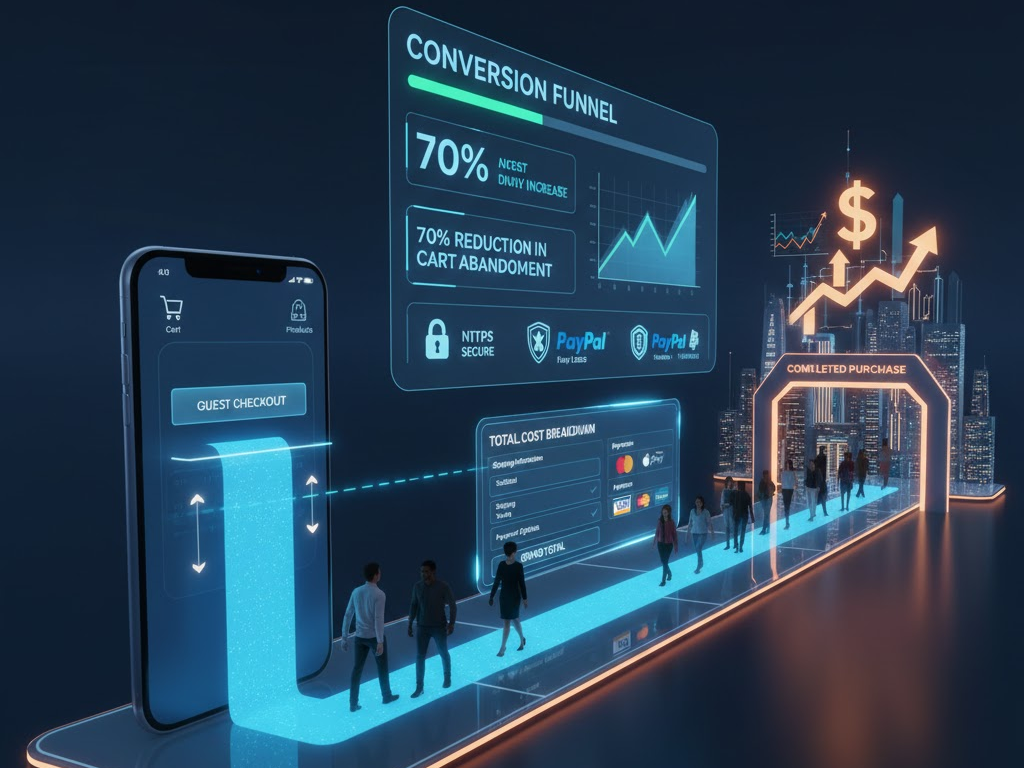
Firstly, offer a guest checkout option prominently. Forcing account creation is one of the top reasons for abandonment. Allow customers to complete their purchase quickly, and then offer an easy, post-purchase option to create an account (e.g., “Save your details for next time!”). This reverses the friction point effectively.

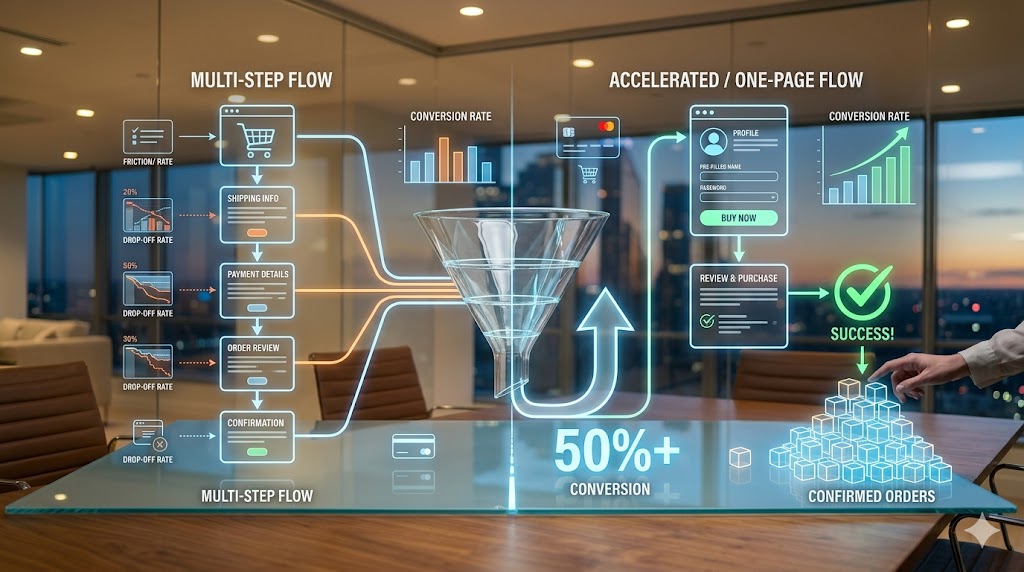
Secondly, aim for a one-page or accordion checkout design. While a multi-step checkout with a clear progress bar can work, condensing all necessary information onto a single, vertically scrolling page often reduces the perception of effort. If using multiple steps, limit them to three or four logical phases (e.g., Shipping, Payment, Review). Furthermore, auto-fill and smart form fields are non-negotiable time-savers. Use features like address lookup tools that auto-suggest addresses after a few keystrokes. Integrate validation tools that check data accuracy in real-time. Also, automatically fill billing details with shipping information if the customer chooses that option. Truly, every keystroke saved is friction removed, smoothing the path to a higher conversion rate.


Step 2: Build Trust and Ensure Security Signals

Checkout involves customers sharing highly sensitive personal and financial information. Therefore, trust and security are foundational elements of a high-converting experience. Clearly, if a customer feels uneasy or insecure on your payment page, they will leave, regardless of how great your product is. Therefore, designing a checkout that looks secure and feels trustworthy is absolutely essential for conversion success.

Visible Indicators of Safety and Credibility

Firstly, ensure your website uses HTTPS and an SSL certificate. While standard practice, explicitly display a padlock icon and verify the secure URL (starting with https://). This basic technical requirement is a fundamental trust signal. Secondly, display recognizable trust badges and security seals prominently near the payment fields. Logos from security providers (e.g., Norton, McAfee, Trustpilot) or payment gateways (e.g., PayPal Verified) instantly reassure customers about data protection. Truly, these visual cues act as powerful psychological validators.

Furthermore, clearly communicate your refund, return, and privacy policies near the final purchase button. A link to your full policy is often necessary, but a concise summary of your guarantee can significantly boost confidence. Also, ensure your customer support information is readily accessible on the checkout page (e.g., a phone number, live chat icon, or a clear link to FAQs). This demonstrates that a real company stands behind the transaction and offers assistance if needed. Always remember, trust is earned through transparency and visible security measures. By maximizing these trust signals, you mitigate customer anxiety and successfully guide them past the final moment of hesitation.


Step 3: Optimize Payment Flexibility and Transparency

A customer is ready to buy, but if you don’t accept their preferred method of payment or surprise them with high costs, the sale is lost. Consequently, optimizing payment flexibility and transparency are two critical areas that directly impact conversion rates. Clearly, offering choice reduces friction, while clear communication prevents buyer shock. Therefore, focus on maximizing options and upfront honesty.

Offering Choice and Maintaining Price Integrity

Firstly, provide a variety of widely accepted payment methods. Beyond major credit cards (Visa, Mastercard, Amex), integrate popular digital wallets (e.g., Apple Pay, Google Pay, PayPal) and local payment options relevant to your target markets. Also, consider offering Buy Now, Pay Later (BNPL) options (e.g., Klarna, Affirm), as these have become highly popular for managing expenses and often increase the average order value. Flexibility caters to diverse customer preferences globally.

Secondly, prioritize price transparency. This is crucial. Display all costs, including shipping fees, taxes, and any other charges, as early as possible—ideally on the product page or within the shopping cart summary, not just on the final checkout page. Clearly label the different shipping options and their associated costs and delivery timelines. Furthermore, use an always-visible order summary throughout the checkout process. This summary should dynamically update as the customer adds items or selects shipping options, constantly reminding them of their total commitment. Truly, eliminating the fear of hidden fees and offering convenient payment options removes the final financial barriers, resulting in a higher likelihood of conversion.


Step 4: Ensure Flawless Mobile and Performance Optimization

In 2025, mobile devices account for the majority of e-commerce traffic. Therefore, a failure to optimize your checkout experience for mobile users is equivalent to turning away more than half of your potential sales. Clearly, a truly high-converting checkout must be flawlessly responsive, fast-loading, and intuitive on screens of all sizes. Therefore, prioritizing mobile optimization and site speed is absolutely essential for maximizing your conversion rate.

Speed, Responsiveness, and Mobile-First Design

Firstly, design your checkout process using a mobile-first philosophy. This means prioritizing large, easy-to-tap buttons, simple one-column layouts, and minimal form fields that leverage mobile keyboard features (e.g., automatic number input for card details). Test the entire flow rigorously on various mobile devices to ensure all elements are accessible and functional. Furthermore, minimize text input on mobile. Use radio buttons, dropdown menus, and address lookup tools to reduce typing, which is cumbersome on small screens.

Secondly, optimize the page loading speed relentlessly. Slow checkout pages are a primary driver of abandonment, as customers lose patience quickly. Compress images, minimize unnecessary scripts, and use efficient hosting. Aim for checkout pages that load in under two seconds. Also, ensure that all error messages are clear and immediate. If a form field is filled incorrectly, provide instant, visible feedback to the user on how to correct the error, rather than waiting for the customer to hit “submit” and then forcing them to navigate back. Truly, by ensuring a fast, responsive, and friction-free mobile experience, you capture the vast majority of today’s e-commerce traffic, significantly boosting your conversion rate.


Step 5: Leverage Data and Post-Purchase Opportunities

A high-converting checkout is not a set-it-and-forget-it asset; instead, it is a constantly evolving system driven by data and continuous testing. Furthermore, the checkout is not truly over until the customer receives their product and is encouraged to return. Clearly, leveraging post-purchase moments for customer engagement is a smart strategy to build loyalty and increase the Customer Lifetime Value (CLV). Therefore, focus on data analysis and strategic follow-up.

A/B Testing, Analytics, and Post-Purchase Nurturing

Firstly, use analytics to identify specific drop-off points. Tools like Google Analytics, heat maps, and session recordings can show exactly where users hesitate, click away, or abandon forms. Pinpoint the problematic step or field—is it shipping calculation, the credit card field, or the final button? This data should directly inform your optimization efforts. Secondly, conduct rigorous A/B testing. Test everything: the number of steps, the wording on buttons (e.g., “Buy Now” vs. “Place Order”), the placement of trust badges, and the presence of guest checkout. Small changes based on data can lead to massive conversion uplifts.

Furthermore, optimize the confirmation page and email as marketing opportunities. The confirmation page should reassure the customer, display their order summary clearly, and offer immediate next steps (e.g., track order, download app). The confirmation email should be prompt, reiterating trust signals and providing essential details. Lastly, implement cart abandonment recovery emails. These automated emails, sent within hours of abandonment, can successfully bring back a significant portion of lost customers by offering a gentle reminder or sometimes a small incentive. Truly, by viewing checkout as a system of continuous improvement and leveraging the post-purchase experience, you not only increase conversions today but also secure customer loyalty for tomorrow.


Frequently Asked Questions (FAQs)

Q1: What is the single most effective way to immediately reduce cart abandonment?

The single most effective way to immediately reduce cart abandonment is offering a clear, prominent guest checkout option. Removing the friction and requirement of forced account creation allows the customer to complete their purchase quickly, which directly addresses one of the top reasons for drop-off.

Q2: How many steps should an optimal checkout process have?

While there is no fixed number, the optimal checkout process should minimize the perceived effort. Ideally, aim for a single-page checkout or a maximum of three to four highly consolidated steps (e.g., Shipping, Payment, Review). The key is clear progress indicators and minimal form fields.

Q3: Why is mobile optimization more critical than desktop optimization for checkout?

Mobile devices now account for the majority of e-commerce traffic. If your checkout is slow, requires tedious typing, or has small buttons on mobile, you risk losing the largest segment of your potential customers. A mobile-first, fast-loading, responsive design is essential for modern conversion rates.

Q4: How important are trust badges on the checkout page?

Trust badges are extremely important. They act as visible, psychological validators that reassure customers your site is secure enough to handle their sensitive financial information. Placing well-known security seals and payment gateway logos near the payment fields significantly boosts customer confidence and reduces security-related abandonment.

Q5: What should I A/B test first on my checkout page?

Start by A/B testing elements related to friction and anxiety. This includes testing: the presence/placement of trust badges, offering or removing guest checkout, the wording of the final purchase button CTA, and the layout (one-page vs. multi-step). Use analytics to guide your choices and maximize impact.

Also Read: How Can Smart Payout Drive Marketplace Growth

Reduce Cart Abandonment: Payment Gateway Optimization

In today’s e-commerce world, cart abandonment is a huge problem. You put in the work. You attract customers. Consequently, they find your products. They add them to their shopping cart. And then, unfortunately, they leave. This frustrating problem costs businesses billions every year. So, what is a key reason for this? A poor payment gateway experience. Therefore, a smooth, fast, and secure checkout process is absolutely essential. This article, in fact, will explore why your payment gateway is so important. It will, moreover, show you exactly how to fix it. Our goal, consequently, is to reduce your cart abandonment rate. This will naturally help your sales.

Image of Reducing Cart Abandonment with Payment Gateways

The Big Impact of a Bad Payment Gateway

A customer’s checkout experience truly makes a difference. First of all, the payment gateway is the final step. It is the last chance for a customer to reconsider. Therefore, any small issue can cause them to abandon their cart. For instance, a slow page load can be a deal-breaker. A complicated form, furthermore, will frustrate a shopper. Moreover, a lack of trust will make them click away. In addition, many customers abandon carts because of technical problems. Thus, a solid, reliable payment gateway is the cornerstone of a successful online store. Conversely, a bad one will cause a high rate of cart abandonment. It is, in fact, your biggest weakness. For this reason, you must optimize it.


Strategy 1: Offer Many Payment Options

Offering a wide variety of payment options is fundamental. In fact, it is one of the most effective strategies. Customers have different preferences. They, therefore, want to pay using their favorite method. A business that only accepts credit cards will lose customers. Why? Because many people today prefer digital wallets. Others, however, want to use a “buy now, pay later” service. For this reason, you need to cater to every kind of shopper. By integrating many choices, your payment gateway becomes more user-friendly. In fact, it becomes a major selling point. In short, more options lead to fewer people leaving. This is crucial for reducing cart abandonment.

Section 1.1: Embrace Digital Wallets

Digital wallets are extremely popular today. For instance, think of Apple Pay and Google Pay. These services, in fact, allow for one-click payments. Customers do not need to enter their card information. They simply use their phone’s stored data. This process, consequently, is very fast. It is also very convenient. In addition, it is highly secure. Therefore, offering these options removes a huge barrier. It simplifies the entire process. Furthermore, it helps reduce a common point of friction. Consequently, more customers will complete their purchase. This, in turn, helps lower your rate of cart abandonment.

Section 1.2: Include “Buy Now, Pay Later” Services

“Buy now, pay later” (BNPL) services are growing quickly. Companies like Klarna and Afterpay are very popular. They, in fact, allow customers to pay for items over time. This makes expensive purchases more affordable. Therefore, it encourages more people to buy. For this reason, including BNPL in your payment gateway can be a big advantage. It gives customers financial flexibility. Moreover, it helps them manage their budgets. In short, it removes a major financial hurdle. Consequently, this leads to more completed sales. It is, therefore, a powerful tool for fighting cart abandonment.


Strategy 2: Make it Mobile-Friendly

More and more people shop on their phones. In fact, mobile commerce is a massive market. For this reason, your checkout page must be perfect on a mobile device. If it is not, you will lose a lot of customers. A non-responsive page, for example, is difficult to use. Buttons are too small. Forms are hard to fill out. The experience is frustrating. A good mobile design, in contrast, is clean and simple. The text is big and readable. Form fields are easy to tap. The payment gateway adapts perfectly. Consequently, customers can check out easily. This is vital for reducing cart abandonment.

Section 2.1: Simple Form Fields

Filling out forms on a phone is hard. Therefore, you must make it as easy as possible. First, only ask for necessary information. Do not ask for details you do not need. Second, make sure your form fields are large. They should be easy to tap with a finger. In addition, use smart features. For instance, make the number keyboard pop up for card details. Furthermore, use auto-fill wherever possible. This saves a lot of time. By simplifying the form, you remove a major headache. This, in fact, makes the checkout process much faster. This speeds up your payment gateway. It helps prevent cart abandonment.

Section 2.2: One-Tap Payments

One-tap payment is a great feature. For example, customers can pay with a single click. They do not have to type anything. Their details are already stored. This makes the purchase quick and effortless. This is, in fact, a great mobile-specific feature. In addition, it creates a much smoother experience. The customer can complete their purchase quickly. This reduces the chance they will change their mind. In short, it takes away a lot of the effort. Consequently, it leads to higher conversion rates. This is a very effective way to fight cart abandonment.


Strategy 3: Build Security and Trust

Customers need to feel secure. They will not give you their credit card details if they do not trust you. Therefore, you must build trust. This is a crucial step. First, use clear security badges. For instance, show logos from Visa, Mastercard, and American Express. Also, display an SSL certificate badge. This tells customers their connection is safe. Furthermore, be transparent about your security measures. Explain how you protect their data. A clear privacy policy helps, too. In fact, a lack of trust is a leading cause of cart abandonment. A secure and trustworthy payment gateway gives customers peace of mind.

Section 3.1: Visible Security Logos

Security logos are very important. People recognize them instantly. For example, a lock icon in the address bar is a good sign. Logos like “McAfee Secure” or “Norton Secured” also work well. These badges are simple. Yet, they provide a lot of reassurance. They signal to the customer that their information is safe. Consequently, this builds confidence. It helps remove hesitation. A confident customer is more likely to buy. In short, these small visual cues have a big impact. They are a vital part of a secure payment gateway. This strategy is important for reducing cart abandonment.

Section 3.2: Transparency and Policies

Customers also want to know how you use their data. Therefore, be very open about your policies. Explain your privacy policy clearly. Tell them how you handle their payment information. You should also have a clear returns and refunds policy. A transparent business model builds loyalty. It creates a sense of reliability. This, consequently, reduces a key source of friction. When a customer feels informed, they feel safer. This helps them move forward with their purchase. It, therefore, lowers your cart abandonment rate.


Strategy 4: Simplify the Checkout Process

Long, complicated forms are a major turnoff. For this reason, you need to simplify your checkout. The fewer clicks, the better. The less information required, the better. First, consider a single-page checkout. This shows all steps on one page. Customers can see everything at once. They, therefore, know what to expect. Second, offer a guest checkout option. This allows customers to buy without creating an account. Many people do not want to register. It is an unnecessary step. Consequently, this simple feature can drastically reduce cart abandonment. A simplified checkout process is a core part of an optimized payment gateway.

Section 4.1: Single-Page Checkout

A multi-page checkout can be very annoying. The user has to click “next” multiple times. This, consequently, can lead to frustration. A single-page checkout, however, solves this problem. All the fields are on one page. The customer can scroll down and fill everything out. It feels faster. It feels less like a chore. For instance, you can combine shipping and payment information on one screen. This streamlines the flow. Therefore, it makes the entire experience much smoother. It is a powerful method for fighting cart abandonment.

Section 4.2: Guest Checkout Option

Many first-time customers do not want to create an account. They just want to buy one item. Forcing them to register is a major barrier. Many will simply leave. Therefore, a guest checkout is a must-have feature. It allows them to buy quickly. They just enter their email and shipping details. They do not have to set up a password. This removes a significant point of friction. It makes the purchasing process much easier. Consequently, it helps you capture more sales. It is, therefore, a key strategy for reducing cart abandonment.


Strategy 5: Speed Up Loading Times

Patience is a virtue, but not in e-commerce. A slow loading page will make customers leave. For this reason, you need to optimize your page speed. A fast payment gateway feels more professional. It shows you care about the user experience. You can improve speed in many ways. For instance, compress images on your site. Use a Content Delivery Network (CDN). This stores your site data on servers all over the world. It delivers content faster to people everywhere. Thus, your site will load quickly. A slow checkout page, in contrast, can be a major source of cart abandonment.


FAQs

  1. What is a payment gateway? A payment gateway is a service that processes and authorizes payments for online businesses. It securely handles the transfer of credit card or bank information between the customer and the merchant’s bank.
  2. Why do people abandon their shopping carts? People abandon their carts for many reasons. For instance, they might find unexpected shipping costs. They could find the checkout process too long. A lack of trust in the website’s security is also a major reason.
  3. How does a slow payment gateway lead to cart abandonment? A slow payment gateway makes the customer wait. This gives them time to reconsider their purchase. It can also make them feel frustrated. In fact, many customers simply close the browser window if a page takes too long to load.
  4. Are transition words important for SEO? Yes, they are. Transition words help connect ideas and create a smoother reading experience. They make a text more coherent and easier to read. This can, therefore, improve user engagement and, consequently, your search engine rankings.
  5. What is Flesch Reading Ease? Flesch Reading Ease is a formula that measures how easy a text is to read. The score is based on the average sentence length and the average number of syllables per word. A higher score means the text is easier to understand.

Also Read: Unlock Seamless Shopping with One-Click Checkout